GGmailEmailPolished
Could you send the report by tomorrow?
Select text in any Mac app and press ⌃⌥T, or click the pen next to where you type. WriteConfident rewrites it in the tone you pick and puts it right back.
Free to start · macOS 13 or later · Lives in your menu bar
To: Jordan Lee
Replaced in place
Suggestion
Features
Pick one to see it work.
Quick shortcut
Select text anywhere and press ⌃⌥T. The popup opens over the app you are in, with your tools ready.
Hi team,
pls send the deck b4 lunch, client wants it asap
Then pick a tool with ⌘1–⌘9
Works in every app
Wherever there is a text box, the pen bubble shows up next to it. Email, chat, docs, social, your browser. Tap it, and the better version goes right back where you were typing.
The old way · 6 steps
With WriteConfident · 1 step
Click the pen, or press ⌃⌥T
You never leave the app you are writing in.
Password fields are never read. You can hide the bubble in any app, and it stays out of games on Android.
Tutorials
Short tutorials for every platform. Pick a chapter to start.
Hi! Could you send me the report by tomorrow? Thank you!
Tutorial 1 · Mac
Get started on Mac
Install, sign in and polish your first message.
All the tools
The same tools in the app, the popup and the writing bubble, on every device you use.
Rewrite
Professional, polite, friendly, shorter or more confident. Your meaning stays the same.
Fix grammar
Every fix is listed, so you learn as you go.
their→They’reWord choice
u→youSpelling
Writing bubble
A small pen sits next to the text box in Mail, Slack, WhatsApp or your browser. Tap it and your text comes back polished, in place.
Re: Review call
Lunch at 1?
Write a reply
Select a message, pick agree, decline, ask or thank.
Can you join the review call on Friday at 3?
Yes, I can join on Friday at 3!
Your own tools
“Reply to my manager”, “Turn into bullet points”. Name it, say what it does, and it shows up on every device with its own shortcut.
History & privacy
Recent results live on your device so you can copy them again. Text is read only when you ask, password fields are never read, and the text you send isn't stored on our servers.
Sent encrypted
Never sold, never for ads
History stays on your device
Say what you mean in natural, correct English, and keep your own voice.
Emails, Slack and Teams messages that read clear and professional, in seconds.
Kinder replies, fewer typos and the right tone in WhatsApp, Discord and texts.
Platforms
Sign in once and your plan, tools and tones follow you. A Pro plan bought on one device works on all of them.
Press ⌃⌥T or click the pen in any app. Your first nine tools are on ⌘1–⌘9.
Press Ctrl+Alt+T or click the pen in any app. Your first nine tools are on Alt+1–Alt+9.
Tap the pen bubble in any app. Your first nine tools are on a tool chip.
The real apps
Screens from WriteConfident AI, in light and dark.
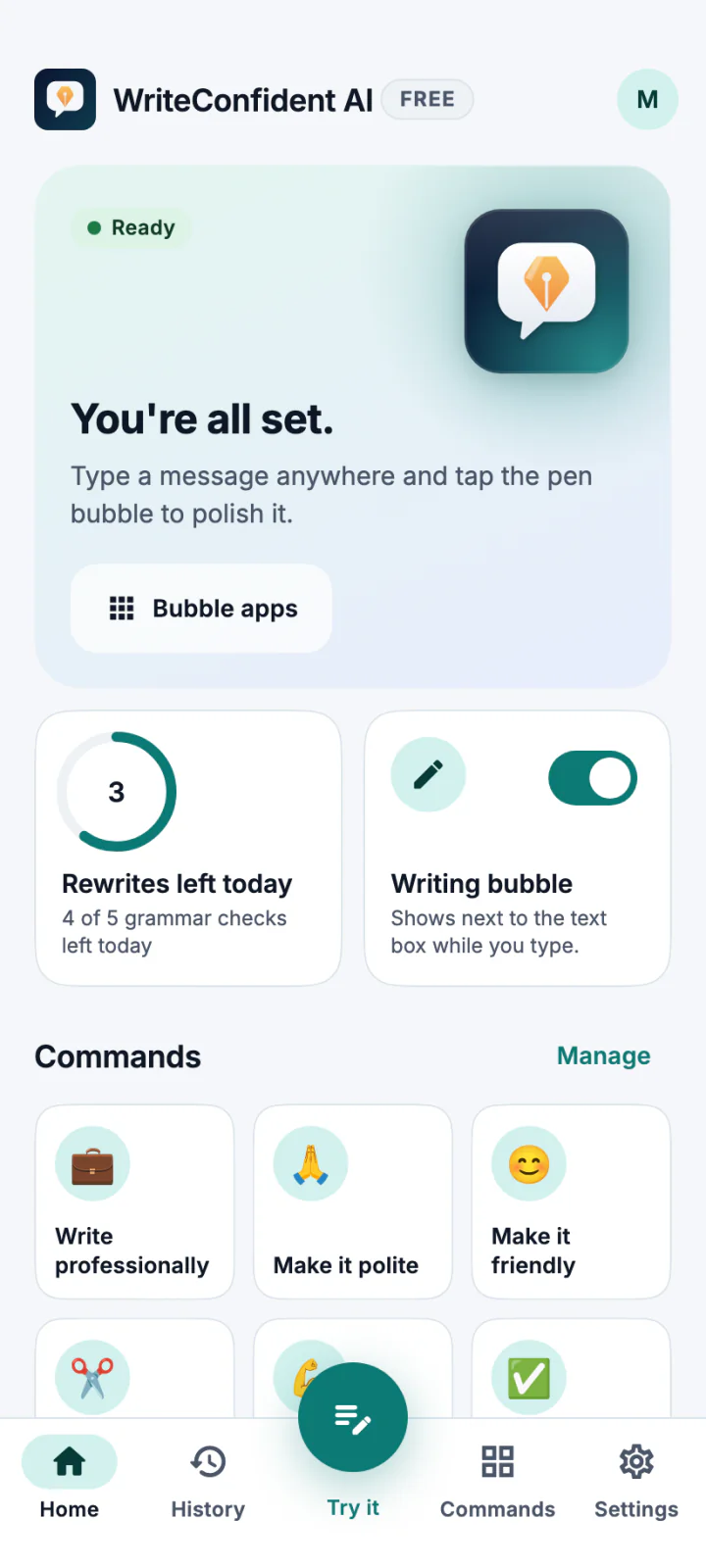
Home
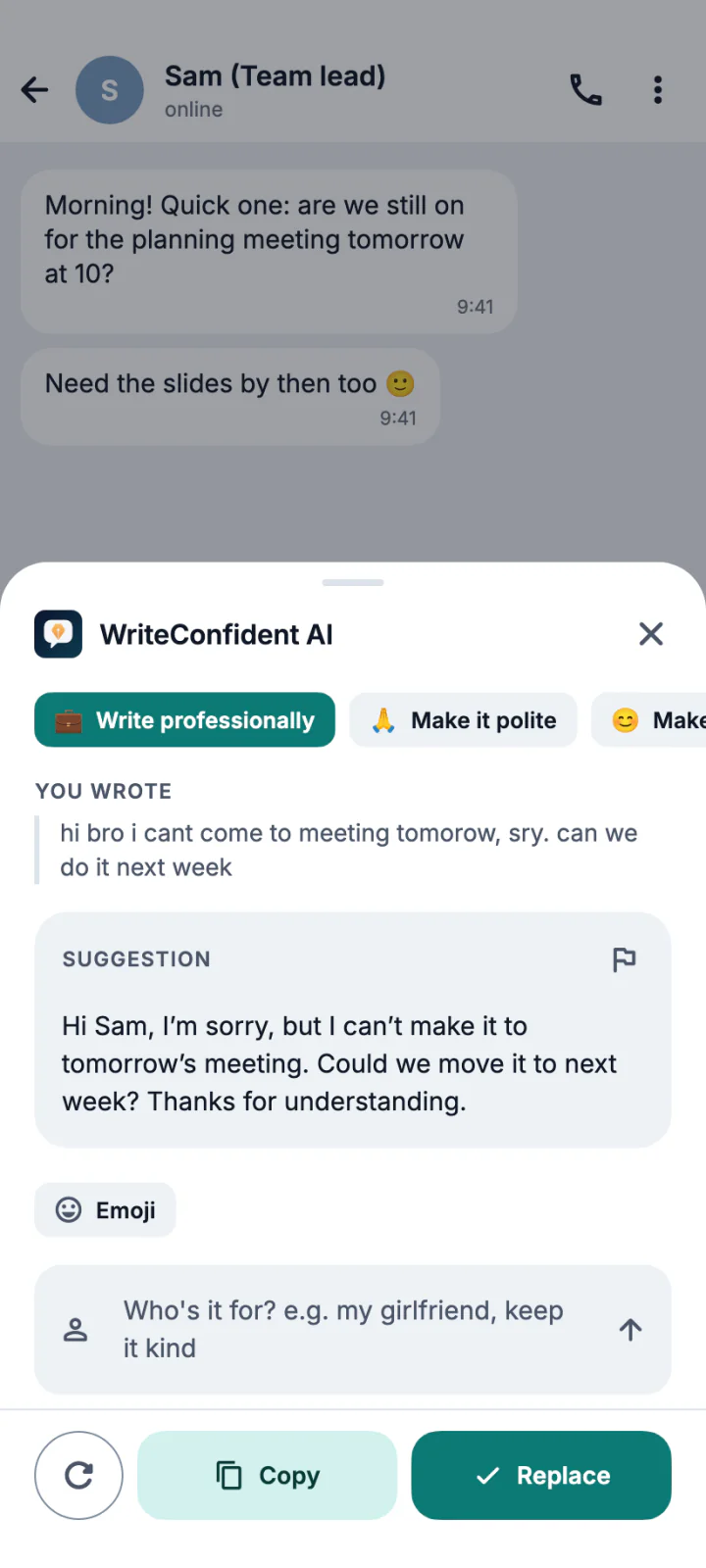
Rewrite popup
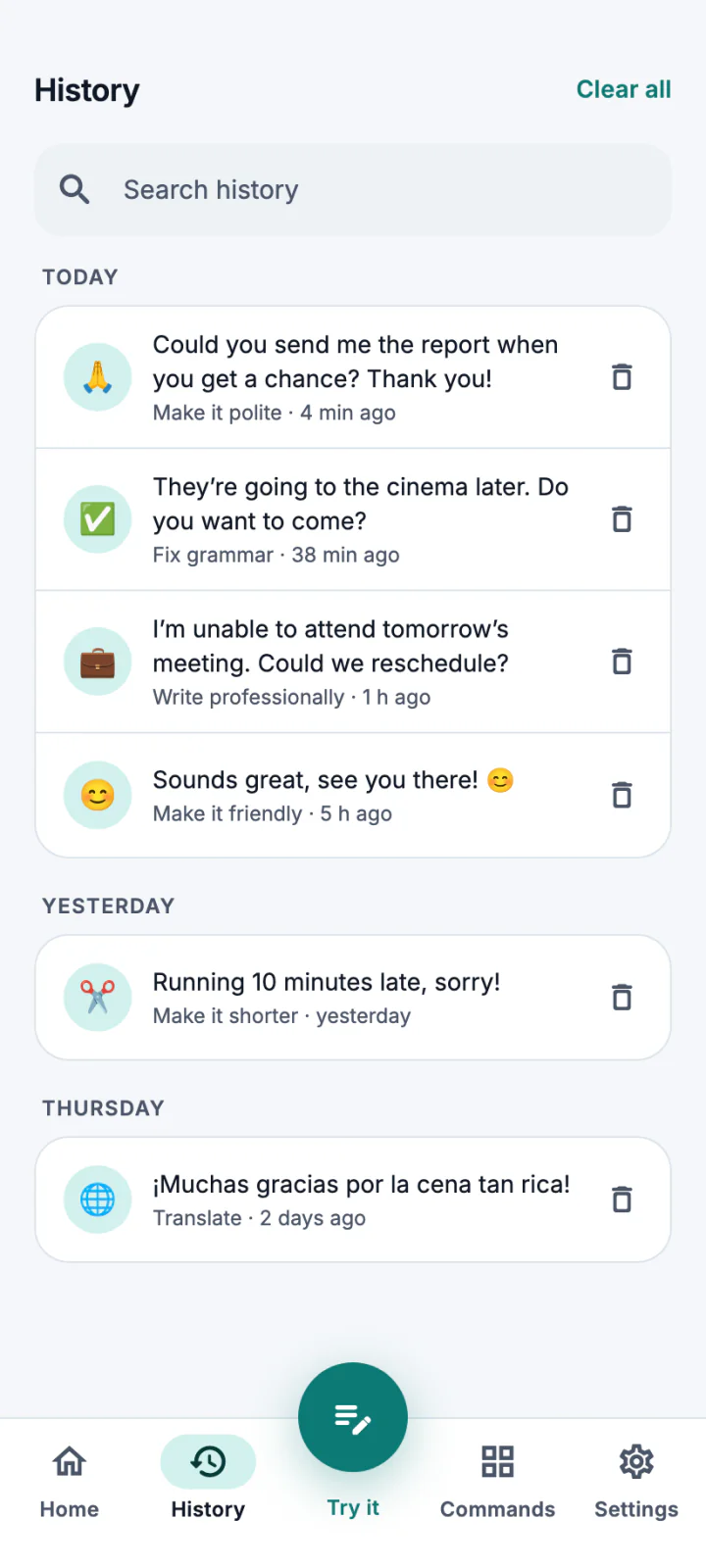
History
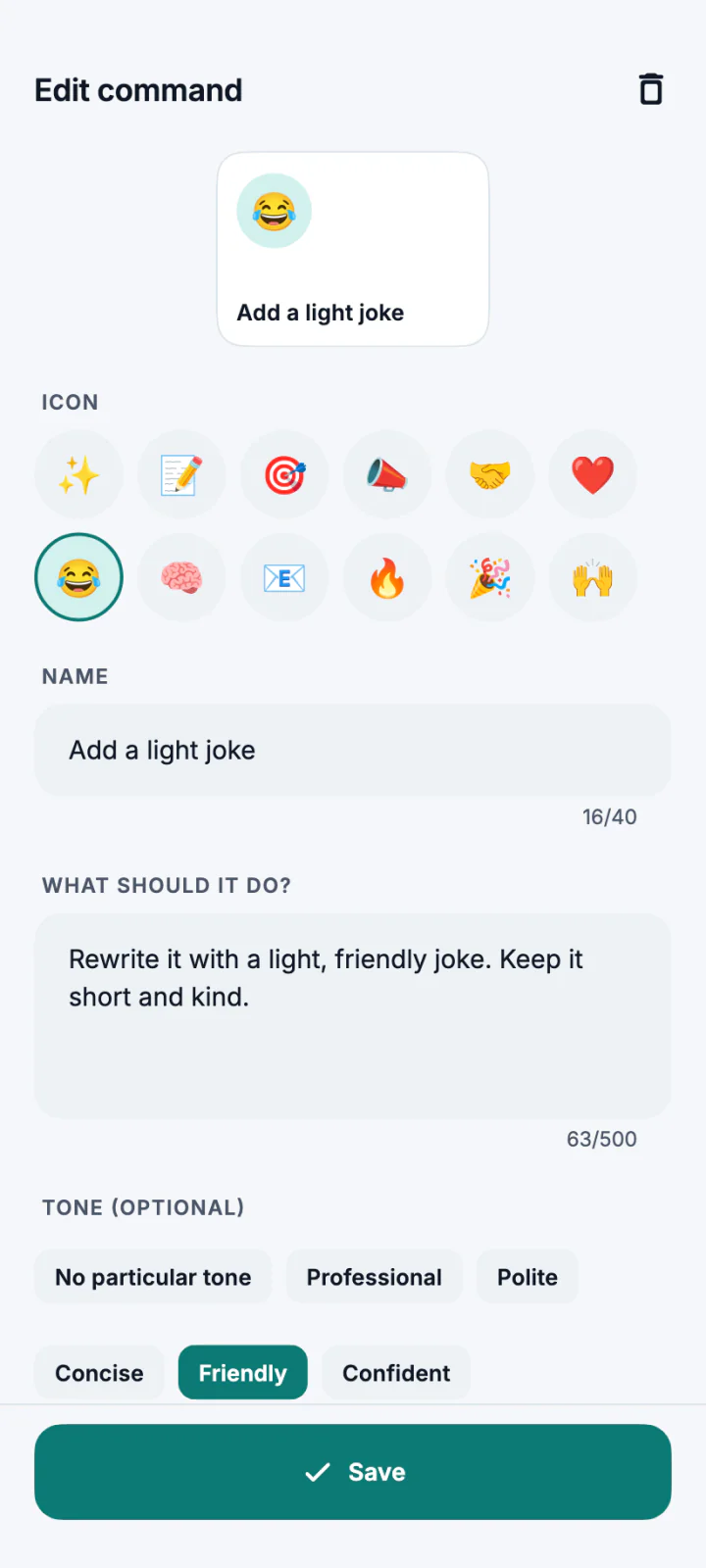
Command editor
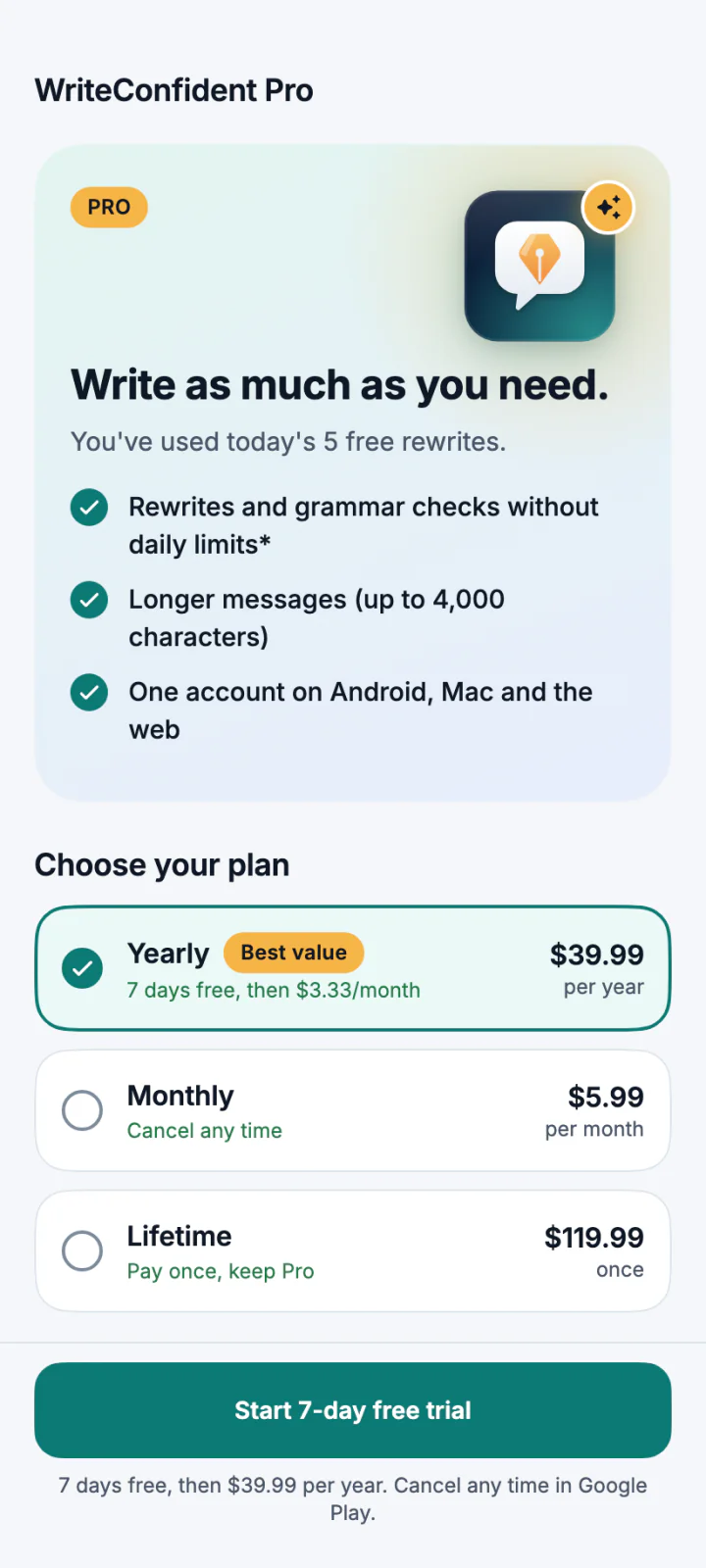
Pro plans
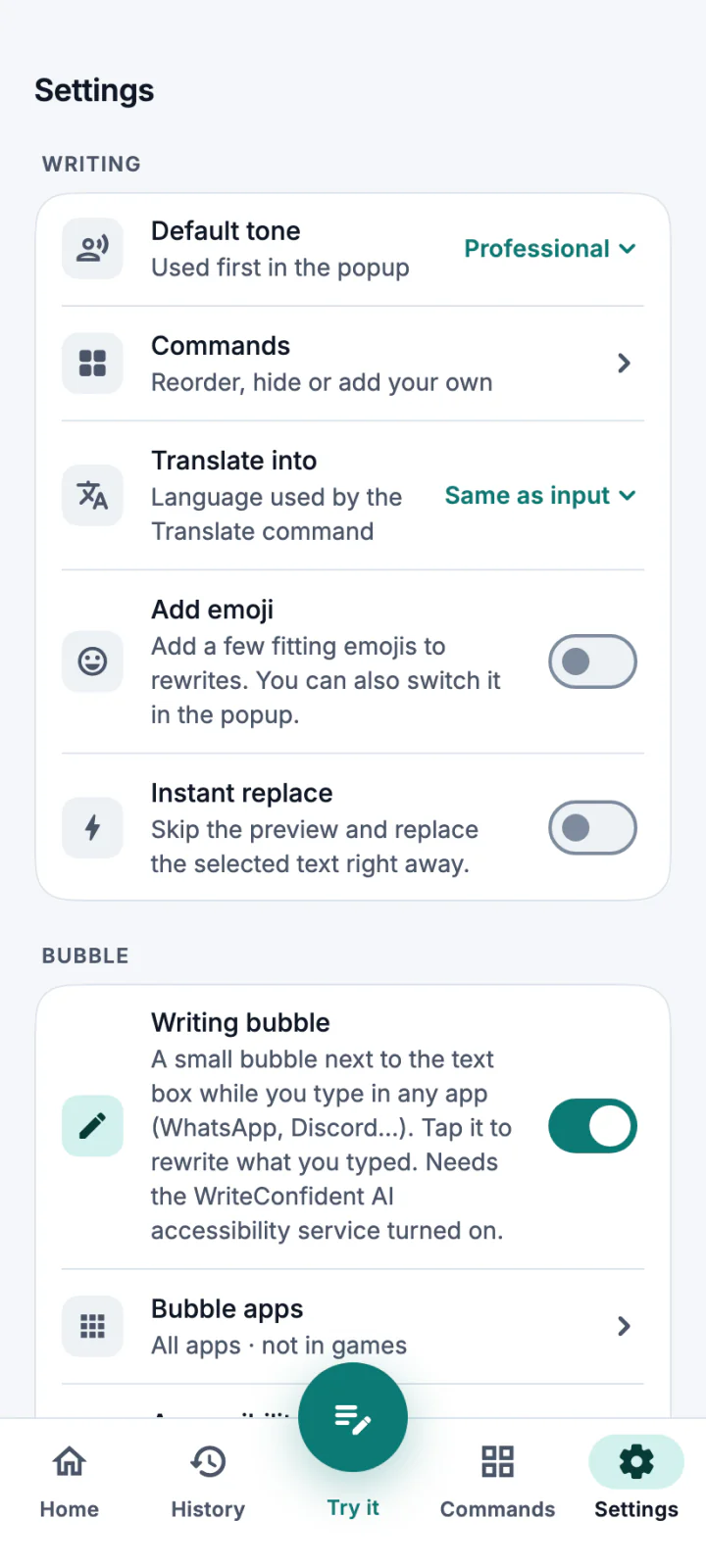
Settings
Pricing
One account for Android, Mac, Windows and the web on every plan.
Free
For everyday messages.
$0every day
Get it freeYearly
Best value for daily writing.
$3.33/ monthSave 44%
$39.99 billed yearly · $71.88
Everything in Free, plus:
Monthly
Flexible, month to month.
$5.99/ month
Go Pro monthlyEverything in Free, plus:
*Fair use: 3,000 rewrites and 300,000 characters of grammar checks a month (Lifetime: 150,000), far more than everyday messaging needs. Need more? Top up with extra credits from your account. Prices in USD; your app store may show local prices. Prefer to pay once? Lifetime is $119.99.
WriteConfident AI rewrites and fixes your messages right where you type. Write in WhatsApp, Gmail, Slack or any other app, tap the WriteConfident AI bubble (Android), press ⌃⌥T (Mac) or Ctrl+Alt+T (Windows), pick a tone, and the better version goes straight back into the text box.
Android 7 and later, Macs with Apple silicon running macOS 13 or later, and Windows 10 and 11 PCs (64-bit). One account works on all of them, and a Pro plan bought on one works on every device.
No daily limits and messages up to 4,000 characters, on Android, Mac, Windows and the web. Every command, tone and option is already in the free plan; Pro removes the daily cap. Fair use applies: 3,000 rewrites and 300,000 characters of grammar checks a month (Lifetime: 150,000).
No. Your text is sent only when you ask for a rewrite or check, processed to answer you, and then forgotten. We don't log it or use it for training. Your history stays on your device.
Install it, type anywhere, tap the pen. Free every day.